
Read Confirmations for Confluence · Guide
Make people re-read a Confluence policy every year
Many policies must be re-read on a schedule, such as once a year for a code of conduct or security policy. Confluence Cloud cannot schedule that or ask again when a page changes. Read Acknowledgments for Confluence can do both for each request.
Step by step
- Install Read Acknowledgments for Confluence from the Marketplace listing. In Confluence it is called Read Confirmations.
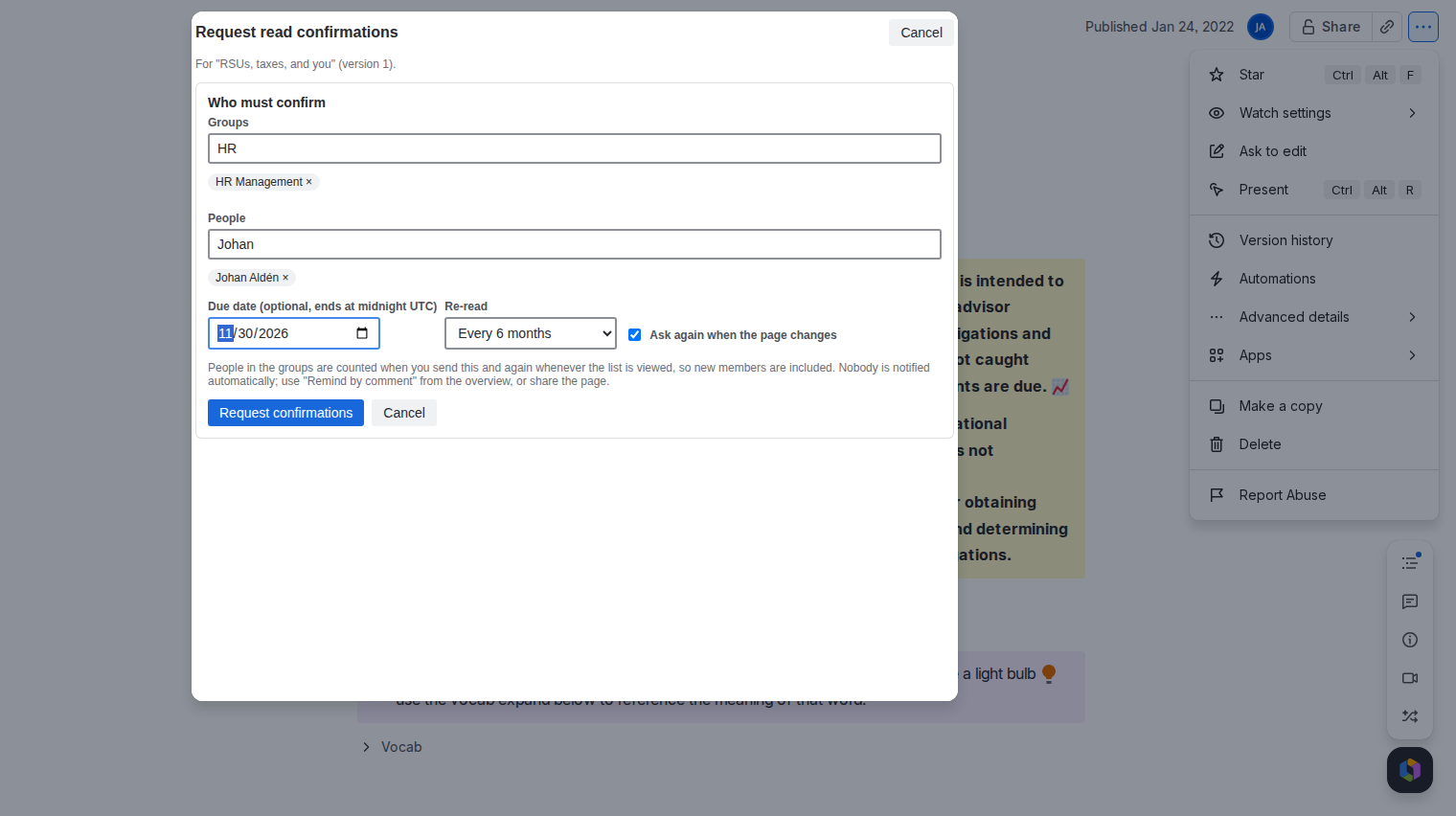
- Request confirmations on the policy page from its "..." menu and pick the groups.
- Set Re-read to every 3, 6, 12 or 24 months.
- Keep Ask again when the page changes ticked if a new version must be confirmed again.
- Send the request. When a re-read falls due, or a newer version is published, the person's status turns to Confirm again and the item under the page title asks them once more. The overview and the CSV show the reason.
Good to know
- Any published edit counts as a change, even a title-only change, because Confluence raises the page version for it. Untick Ask again when the page changes on pages that get frequent cosmetic edits, and rely on the yearly re-read.
- The app sends no email. Remind by comment posts one comment that mentions up to 100 people who are still open, once per request per day.
- People who join a group later are included automatically.
Price
Free for up to 10 users. From 11 users it costs 0.90 USD per user per month, billed by Atlassian. The Pricing tab on the listing shows the exact figure for your user tier, and you can try the app free for 30 days before you pay.
Get Read Acknowledgments for Confluence on the Atlassian Marketplace