
Read Confirmations for Confluence · Guide
Track who has read a Confluence policy page
To show that staff have read a policy, you need a list of who confirmed which version and when, and of who has not. Confluence Cloud's page analytics, where your plan has them, count views. They do not list the people who never opened the page and do not record a confirmation. Read Acknowledgments for Confluence keeps that list for each page you request it on.
Step by step
- Install Read Acknowledgments for Confluence from the Marketplace listing. In Confluence it is called Read Confirmations.
- Request confirmations on the policy page from its "..." menu: pick the groups that must read it and a due date.
- Open the overview. Under Apps, Read confirmations shows every request with confirmed, open and overdue counts. Each space also has its own tab.
- Open a request to see each person and their status, and filter by status.
- Export CSV for your audit file: space, page, requested by, due date, person, status, confirmed at, page version and reason.
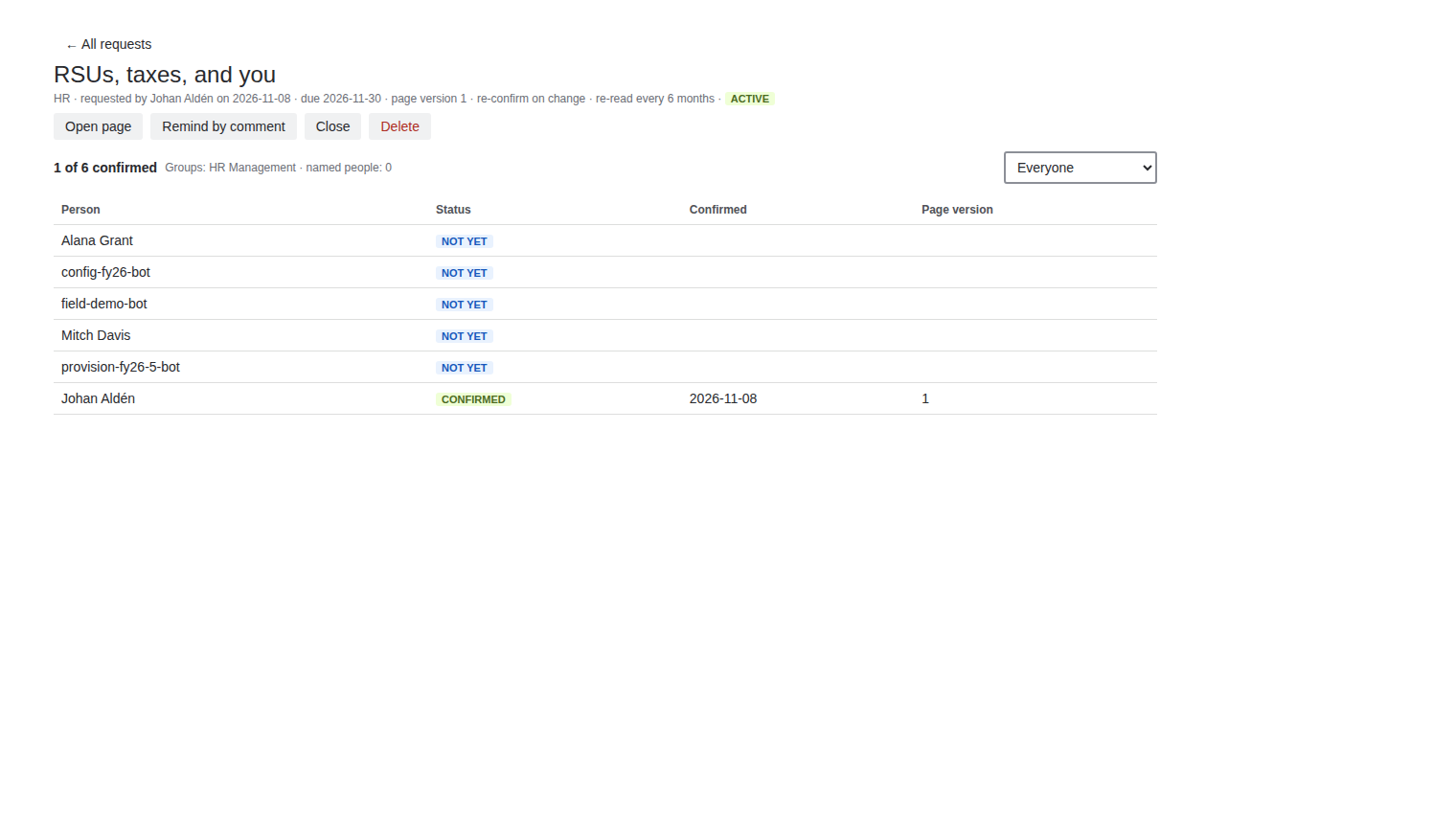
The statuses
| Status | Meaning |
|---|---|
| Not yet | Asked, not confirmed, the due date has not passed. |
| Overdue | Not confirmed and the due date has passed. Due dates end at midnight UTC. |
| Confirm again | Confirmed earlier, but the page changed or a re-read is due. |
| Confirmed | The confirmation stands. |
| Left | The person left the group. Their history stays, and they are no longer counted or reminded. |
Groups change, the list follows
Group members are read when you send the request and again whenever the list is viewed. A new hire who joins the group later is added and must confirm too. A request covers up to 2,000 people and 50 groups.
Price
Free for up to 10 users. From 11 users it costs 0.90 USD per user per month, billed by Atlassian. The Pricing tab on the listing shows the exact figure for your user tier, and you can try the app free for 30 days before you pay.
Get Read Acknowledgments for Confluence on the Atlassian Marketplace