
Worklog Invoices for Jira · Guide
Create invoices from Jira worklogs
Jira records who logged how much time on which work item, but it does not price that time or produce an invoice. The usual route is to export worklogs to a spreadsheet, apply rates and copy the totals into an invoicing tool. Worklog Invoicing for Jira does those steps inside Jira and gives you an invoice PDF. In Jira the app is called Worklog Invoices.
Step by step
- Install Worklog Invoicing for Jira from the Marketplace listing. It appears under Apps as Worklog Invoices.
- Fill in Settings (Jira admins): company name, address, organisation and VAT numbers, payment details, logo, currency (SEK, EUR or USD), PDF language (Swedish or English), VAT rate, payment terms, number prefix and next number, hourly rates, rounding, and the billing group whose members may issue invoices.
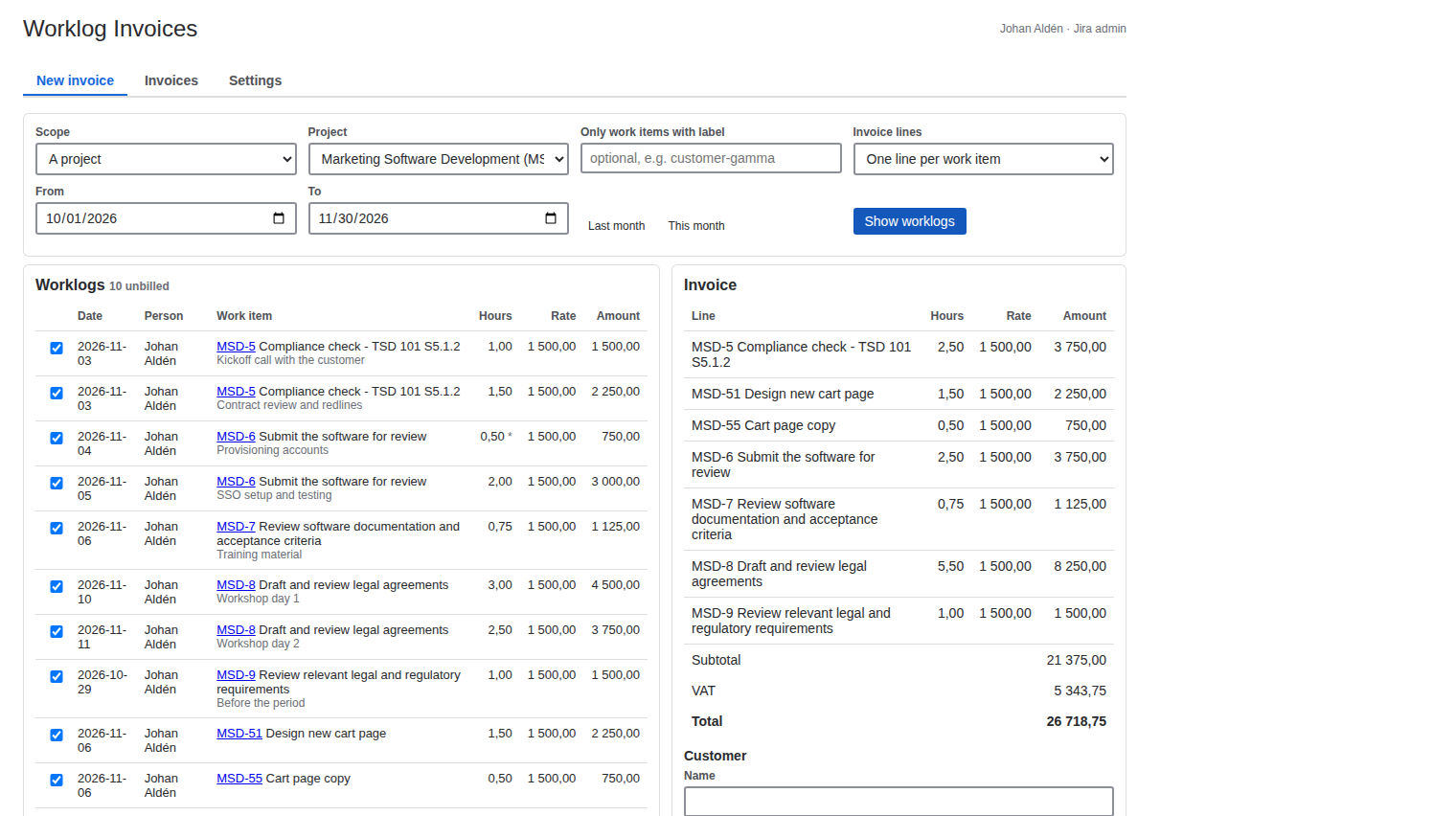
- Start a new invoice. Pick a project or a JQL filter, optionally a label (for example one label per customer), the period, and how lines are grouped: per work item, person, epic, component, or day and person.
- Check the preview. The app lists every worklog in the period that has not been billed, with hours after rounding, the rate that applies and the amount. Untick a worklog to leave it out.
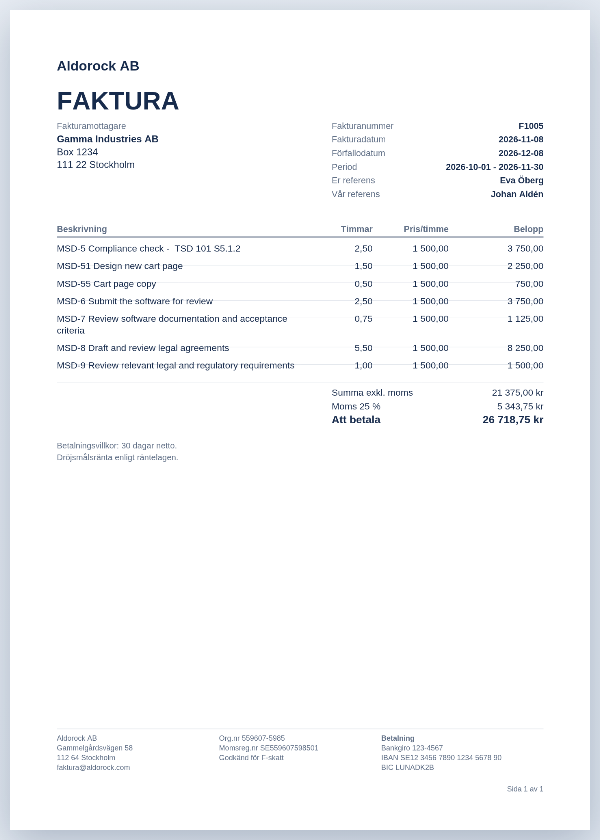
- Issue. Enter the customer's name, address and references and click Issue invoice. The invoice takes the next number and is saved, and each worklog is marked as billed so it never appears on another invoice.
- Download the invoice PDF, and the timesheet as PDF or CSV for the customer.
Corrections
Credit this invoice issues a credit note with the next number and negative amounts, marks the original as credited and frees its worklogs, so you can fix them in Jira and bill them again.
What it does not do
It does not send the invoice by email, create Peppol e-invoices or post to Fortnox or another ledger. Download the PDF and send or book it the way you do today.
Price
Free for up to 10 users. From 11 users it costs 2.50 USD per user per month, billed by Atlassian. The Pricing tab on the listing shows the exact figure for your user tier, and you can try the app free for 30 days before you pay.
Get Worklog Invoicing for Jira on the Atlassian Marketplace