
Worklog Invoices for Jira · Guide
Jira timesheet PDF for clients
Jira Cloud stores worklogs and shows the time spent on each work item, and JQL can find work by worklogDate or worklogAuthor. It does not produce a dated timesheet per person that you can hand to a client as a PDF. Worklog Invoicing for Jira produces one as an appendix to each invoice it issues.
Step by step
- Install Worklog Invoicing for Jira from the Marketplace listing and fill in Settings once (see Create invoices from Jira worklogs).
- Issue the invoice for the client and period under New invoice.
- Open it in the Invoices tab.
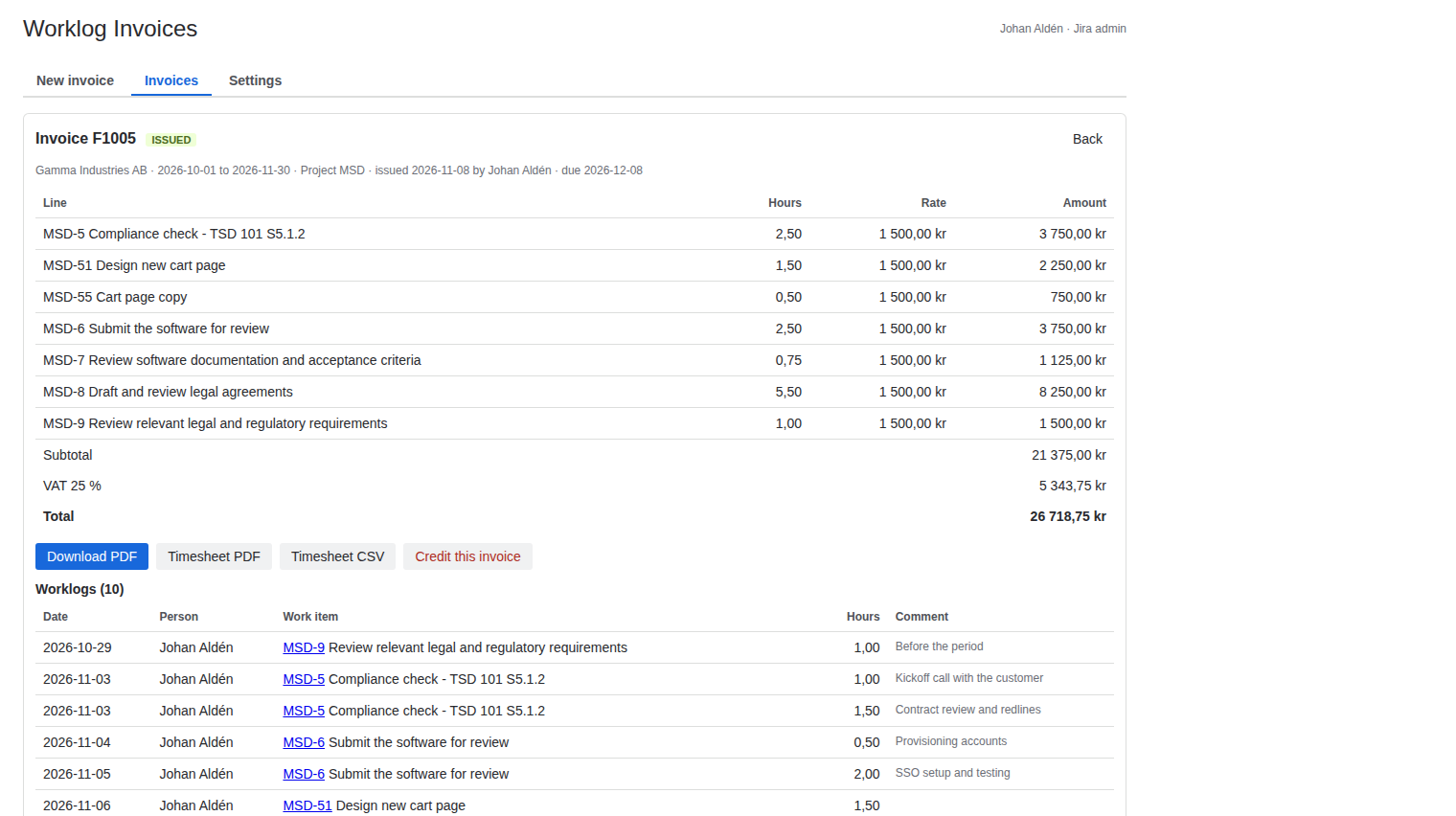
- Download Timesheet PDF or Timesheet CSV.
What the timesheet holds
- One row per worklog: date, person, work item key and summary, hours and the worklog comment, with a total.
- A heading that names it as the appendix to the invoice number, with the customer and the period.
- Hours as billed, after the rounding set in Settings, so the timesheet adds up to the invoice.
- Swedish or English, following the invoice's PDF language.
- The CSV has the same columns and opens in Excel or Numbers.
Good to know
The timesheet belongs to an invoice. If you only want a timesheet and never invoice from Jira, this app is more than you need. Worklogs are matched to the period by their start date as Jira shows it. Write clear worklog comments in Jira, because the client reads them.
Price
Free for up to 10 users. From 11 users it costs 2.50 USD per user per month, billed by Atlassian. The Pricing tab on the listing shows the exact figure for your user tier, and you can try the app free for 30 days before you pay.
Get Worklog Invoicing for Jira on the Atlassian Marketplace