
Worklog Invoices for Jira · Guide
Hourly rates per person for Jira time tracking
Jira time tracking records hours, not money. There is no hourly rate on a person, group or project in Jira, so turning hours into amounts usually happens in a spreadsheet. Worklog Invoicing for Jira keeps the rates in Jira and applies them when you build an invoice.
How rates are chosen
Rates are hourly and exclude VAT, in the currency set in Settings. For each worklog the app uses the most specific rate it finds:
- a rate set for the person who logged the time,
- else a rate for a Jira group the person belongs to (the highest one if there are several),
- else a rate for the project,
- else the default rate.
Rates are read when you preview an invoice. Changing a rate changes the next invoice, never one that is already issued.
Step by step
- Install Worklog Invoicing for Jira from the Marketplace listing. In Jira it is called Worklog Invoices.
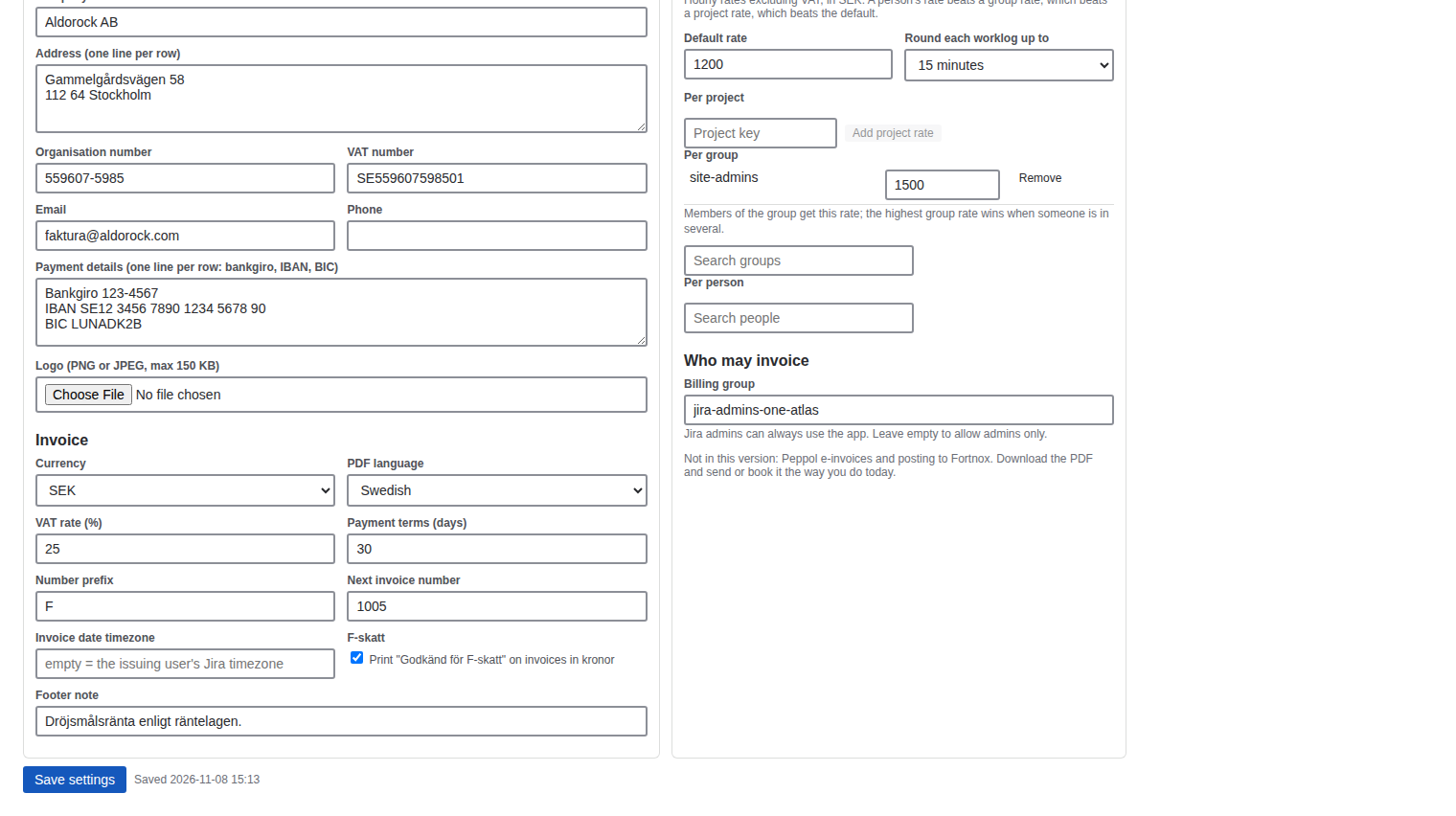
- Open Settings as a Jira admin and go to Rates and rounding.
- Set the default rate, then add project rates by project key, group rates by searching for a group, and person rates by searching for a person.
- Choose rounding: none, or each worklog rounded up to the next 6 or 15 minutes before pricing.
- Save settings. The next invoice preview shows each worklog's hours, rate and amount.
Good to know
- Worklogs with different rates never merge into one invoice line, so the invoice total always equals the sum of the worklogs.
- Only Jira admins change settings and rates. Members of the billing group issue invoices.
Price
Free for up to 10 users. From 11 users it costs 2.50 USD per user per month, billed by Atlassian. The Pricing tab on the listing shows the exact figure for your user tier, and you can try the app free for 30 days before you pay.
Get Worklog Invoicing for Jira on the Atlassian Marketplace